Login management
Avasda offers a security feature that allows you to remotely log out of your account on other devices via your account settings.
How to log out of your avasda account remotely
- Log in to your Avasda account and in the top right menu, click on your account name and choose Account Settings to enter your account settings.
- In the Security section, find “Login Management” where you can see a list of all your active logged-in sessions.
- Click the trash icon next to the session you wish to end.
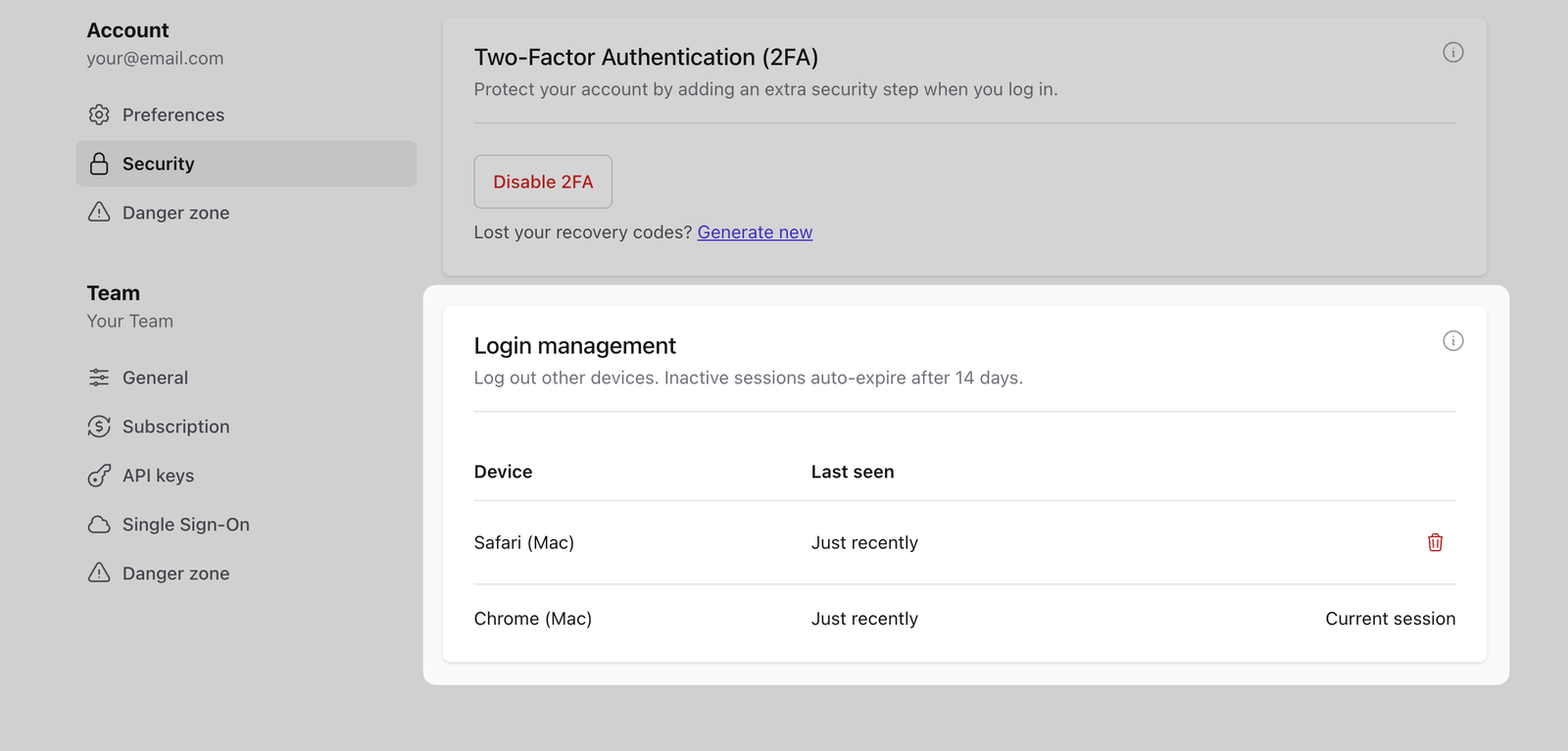
Note that all avasda logged-in sessions automatically expire after 14 days of inactivity.
You can also enable two-factor authentication (2FA) as an extra security layer for your avasda account.